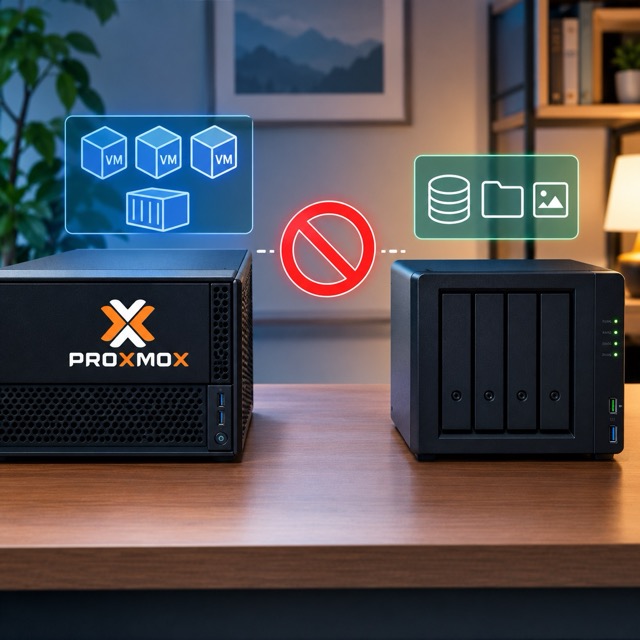
When people start building a home server, the question always comes up the same way: buy one all-in-one NAS that does everything, or run a separate compute box alongside dedicated storage? I've run both setups over the years, and I've landed firmly on the second. Here's the reasoning, and what it actually looks like in my own network cabinet.
The all-in-one trap
Most affordable NAS devices — think Synology, UGreen, TerraMaster — are built and priced around one job: storing files reliably. They ship with underpowered processors and just enough RAM to run their own OS and a handful of background services. That's fine, right up until you want to do more than store files. The moment you try to run containers, self-hosted apps, or a local AI model on the same box, you hit a wall. The manufacturers know this, so they sell a second tier of "prosumer" NAS units with beefier chips and more RAM — and they charge accordingly. You end up paying a premium for compute you may only use occasionally, bolted onto a device whose primary job is still just holding drives.
Split the two roles instead, and the economics change completely. You can buy genuinely cheap, purpose-built hardware for each job: a storage enclosure that just holds drives, plugged into a separate compute server you can upgrade or replace on its own schedule.
What this actually looks like on my network
I don't run one server — I run 2. Two Beelink mini PCs, both repurposed as Proxmox nodes: a SER5 (Ryzen 5 5800H, 32GB RAM) and an EQR6 (Ryzen 5 6900HX, 24GB DDR5, dual 2TB NVMe in RAID1). The EQR6 is also where I run Ollama and Open WebUI — my local AI sandbox, separate from anything storage-related.
Storage lives entirely apart from that. I've actually got two NAS units, and I use them for different jobs on purpose. The first — I call it "fastNAS" — is a Ugreen DXP4800 Pro with 8GB of RAM, running two NVMe drives plus two SSDs in a pooled JBOD setup. That's where my photos and music shares live, along with backups pulled off my main workstation's storage. The second — "slowNAS" — is a Synology DS923+ with 40TB of spinning HDD storage. That one handles media for Plex and Jellyfin, plus a second layer of archive and backup storage. Nothing on either NAS is trying to run VMs or containers. They just hold and serve files, which is exactly what they're good at and priced for.
Is this more moving parts than one box? Yes. I'll be honest about the tradeoff: keeping compute and storage separate means more maintenance. The link between a NAS share and a Proxmox host can get finicky — I've had to rebuild that connection more than once after a network hiccup or a config change. But the payoff shows up exactly when you need it most: if a compute node dies, my storage is completely untouched. I pull a replacement mini PC, point it at the same NAS shares, and I'm back running within the hour. Nothing gets migrated, nothing gets restored from backup, because nothing on the storage side ever went down.
How to actually pick hardware
The advice I'd give anyone starting this from scratch: don't start with a budget number in your head. Start with what you actually want to run, and aim a little higher than what you need today, because your needs will grow — mine certainly did, going from a single Proxmox box to a two-node server setup within about a year. Once you know what you're trying to run, then look at what you can afford to get there.
RAM, and the local AI question
RAM matters more than it used to, mostly because of AI. You'll see plenty of YouTubers insisting you need 64 or 128GB of RAM to run anything "impressive" locally. At current RAM prices, that's a bet that takes years to pay for itself in most home setups. For the average person who wants to use AI regularly — for coding help, brainstorming, whatever — a ChatGPT or Claude subscription will usually still beat a local rig, that can't match those models on real work. Local AI is improving fast, and there are legitimate reasons to run it locally: client data that legally has to stay on-premises, for instance, or just wanting full control over the stack. But unless one of those applies to you, I'd go with a hardware setup at around 32GB of RAM and lean on the cloud AI for anything AI work that requires something more. That's why I run a mostly dedicated Local AI server. My EQR6, it's been enough for the local work and experimentation I actually do.
DAS vs. NAS, plainly
Direct-attached storage (DAS) is just a bank of drives in an enclosure, plugged straight into your compute box over USB or Thunderbolt (USB C). It has no brain of its own — no OS, no network stack — which is exactly why it's cheaper. A NAS, by contrast, has its own processor and enough RAM to run as a dedicated storage appliance: usually enough to serve files fast and reliably, but not always enough to also host VMs or AI workloads. You can buy a NAS that can do both compute and storage well enough, but you'll pay significantly more for it, and in my experience you wait a long time to actually see that extra cost pay off. Don't drop several thousand dollars on a home lab because a spec sheet looks impressive — buy what your actual use case needs now and plan for a little more for the future.
My actual recommendation
Get a dedicated compute device, and a separate storage device. For compute, it barely matters what you choose: a used business PC, a mini PC off Amazon, an old machine sitting in a closet. What matters is that it fits your current needs and can be upgraded or swapped without much friction when those needs change. For storage, same logic applies — DAS, NAS, or even a spare PC repurposed as a file server. Get something that covers what you need to store now, with room to grow into.
The iMac problem
I think about this the same way I think about desktop computers. An iMac is convenient — screen and computer in one box — until one part breaks, and now you're replacing the entire machine to fix one component. A Mac mini paired with a separate monitor lets you swap just the piece that failed. I've seen this exact pattern play out as a technician more times than I can count: all-in-one devices look great in the store and become a headache on repair day. The same logic applies directly to your home server. You don't need six separate devices for redundancy — you just need enough separation that one failure doesn't take the whole system down with it. That's the smart way to build, and it's the setup I'd point anyone toward if they're starting from scratch today.